table of contents
Find and Share Your LinkedIn Profile Link in Minutes

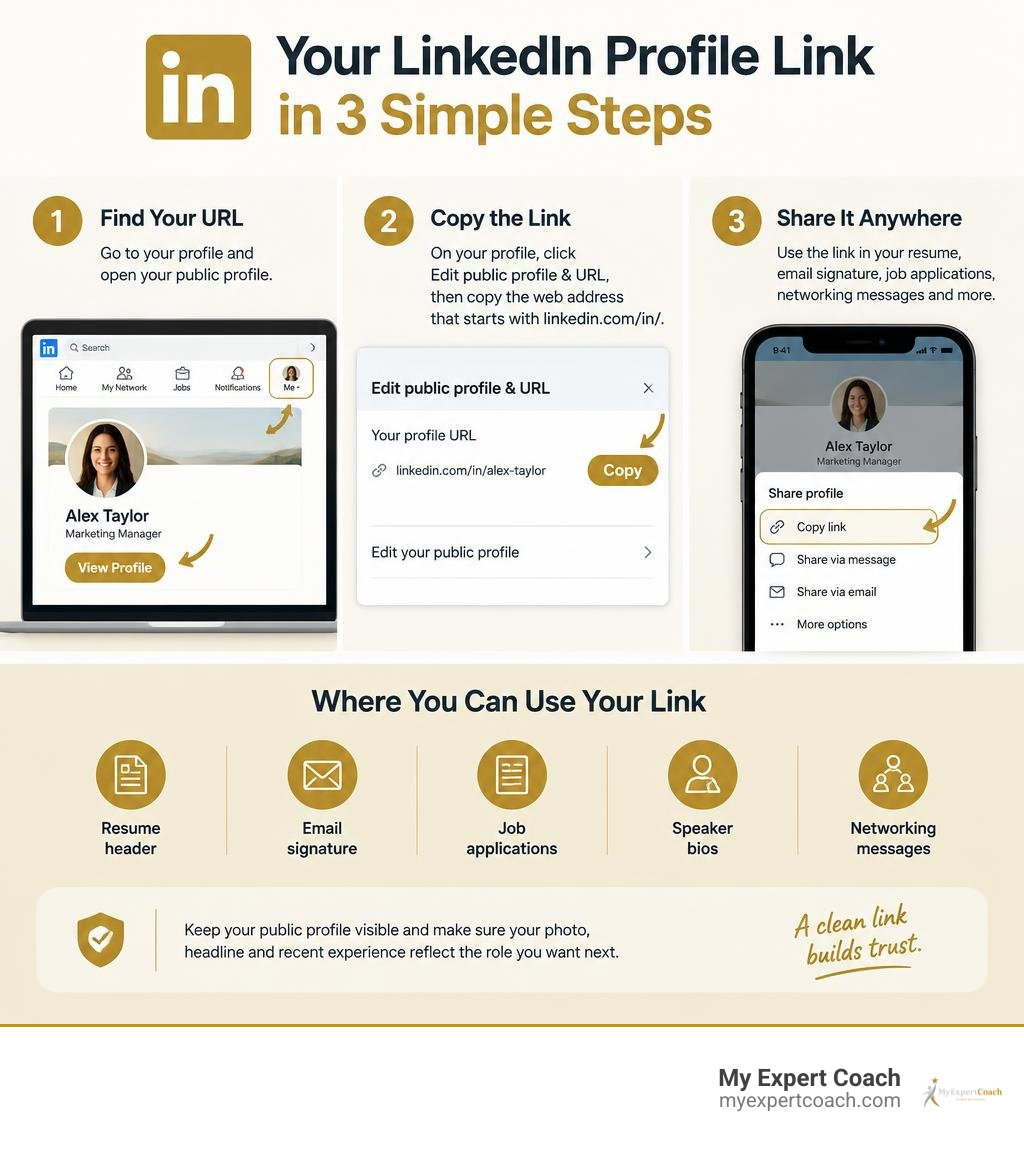
To find your LinkedIn.com profile link, open LinkedIn, select Me and then View Profile. On desktop, choose Edit public profile & URL in the right panel, then copy the web address that begins with linkedin.com/in/. In the mobile app, open your profile and use the sharing or copy-link option to save the URL.
Use that link anywhere someone needs a quick view of your professional background, including your resume header, email signature, job applications, speaker bios, and networking messages. Before sharing it, make sure your public-profile visibility is on and your headline, photo, and recent experience reflect the role you want next.
A clean public URL makes your profile easier to recognize and trust. Some members will see a country-specific version, such as ca.linkedin.com/in/yourname; this is normal and can change automatically if the country listed on the profile changes.
I’m Sandy Spencer, a career coach and executive recruiting expert with more than 38 years of experience helping professionals strengthen their personal brands. I have helped thousands of leaders use a clear, credible LinkedIn.com profile link as part of a stronger resume, job-search, and career-transition strategy.
Understanding Your LinkedIn Com Profile Link and URL Structure
Your public web address on LinkedIn is essentially your digital business card. When you first establish an account, the platform automatically generates an address containing your name followed by a string of random numbers, letters, and hyphens (such as linkedin.com/in/john-doe-8b43921a).
While this default address works, it looks cluttered and signals to recruiters that you have not taken the time to polish your profile. A custom vanity URL strips away the extraneous alphanumeric tail, leaving a clean, memorable path directly to your career achievements.
The structure of a standard profile web address consists of three key components:
- The Domain:
www.linkedin.com(or regional subdomains) - The Directory:
/in/(designating an individual member’s public profile page) - The Custom Slug: Your chosen identifier (e.g.,
sandy-spencerorchristiano-r-amon)
| URL Format Type | Example Structure | Primary Use Case |
|---|---|---|
| Standard Vanity URL | linkedin.com/in/janedoe |
Global default for clean branding on resumes and websites |
| Country-Specific URL | ca.linkedin.com/in/janedoe |
Regional routing based on the user’s listed geographic location |
| Default System URL | linkedin.com/in/jane-doe-987654321 |
Automatically generated address before personal customization |
| Language-Specific Profile | linkedin.com/in/janedoe/fr |
Secondary language profile versions configured within settings |
Standard URL Formats vs Country Code Variations
Many professionals wonder why their link occasionally shows a two-letter prefix before the main domain name. Members residing in specific countries outside the United States receive a localized web address based on the country listed on their profile. For instance, an address in Canada might read ca.linkedin.com/in/yourname, while an executive based in India may see in.linkedin.com/in/yourname.
You can see an example of this regional format on Manuj Khurana’s international profile, which utilizes India’s regional routing prefix.
Importantly, these regional subdomains automatically route visitors to the exact same underlying profile. If someone types linkedin.com/in/yourname without the country prefix, LinkedIn resolves the request and directs them to your active page seamlessly.
Why Your Public Profile URL Matters for Professional Branding
In executive recruiting and talent acquisition, initial impressions are formed within seconds. Over 87% of hiring managers and recruiters actively rely on LinkedIn to evaluate candidates. Having a clean, tailored web address immediately conveys digital literacy, attention to detail, and executive presence.
Industry data shows that profiles with customized vanity URLs receive up to 14% more profile visits and up to a 30% increase in search engine visibility compared to profiles left with default system strings. When search engines index web pages, having your exact name in the URL slug serves as a strong relevancy signal for branded searches.
Notice how global leaders prioritize this clean structure, such as Melinda French Gates on LinkedIn, whose streamlined vanity address reinforces her brand authority across search results. When you establish an intentional identity across all touchpoints, you strengthen your overarching strategic personal branding.
How to Locate and Share Your LinkedIn Profile on Any Device
Finding your personal web address is straightforward, whether you are seated at your desk or networking on the go using a mobile device.

Finding Your LinkedIn Com Profile Link on Desktop and Mobile
On Desktop:
- Navigate to LinkedIn and log into your account.
- Click the Me icon located in the top navigation bar.
- Select View Profile from the dropdown menu.
- Look at the right-hand sidebar and locate the section labeled Public profile & URL.
- Copy the link displayed under this section (it begins with
www.linkedin.com/in/).
On Mobile (iOS and Android):
- Open the LinkedIn app and tap your profile photo in the top left corner.
- Tap View Profile.
- Scroll down to the Contact section and tap the pencil edit icon or the three dots (…) near the top of your profile.
- Select Share profile via… or tap directly on the Contact Info link to reveal your public URL.
- Tap and hold the link to copy it directly to your device’s clipboard.
Practical Ways to Share Your Link Across Resumes and Messages
Once you have copied your address, integrate it into key professional touchpoints:
- Resume Headers: Place the live, hyperlinked URL right below your contact details alongside your phone number and email address.
- Email Signatures: Add a concise text link (e.g.,
LinkedIn: in/yourname) to every professional email you send. - Cover Letters & Proposals: Include the link to allow prospective clients or employers to verify recommendations and career achievements.
- Conference Materials & Speaker Bios: Provide your vanity URL in event programs to build post-event network connections.
Before sharing your link broadly, take a moment to perform an external check. Have you conducted a quick check to Google yourself lately? Ensuring your public visibility settings display your desired photo, headline, and summary to logged-out users is essential before sending traffic to your page.
Step-by-Step Guide to Customizing Your Public URL Slug
Customizing your URL takes less than two minutes and provides immediate career marketing benefits.
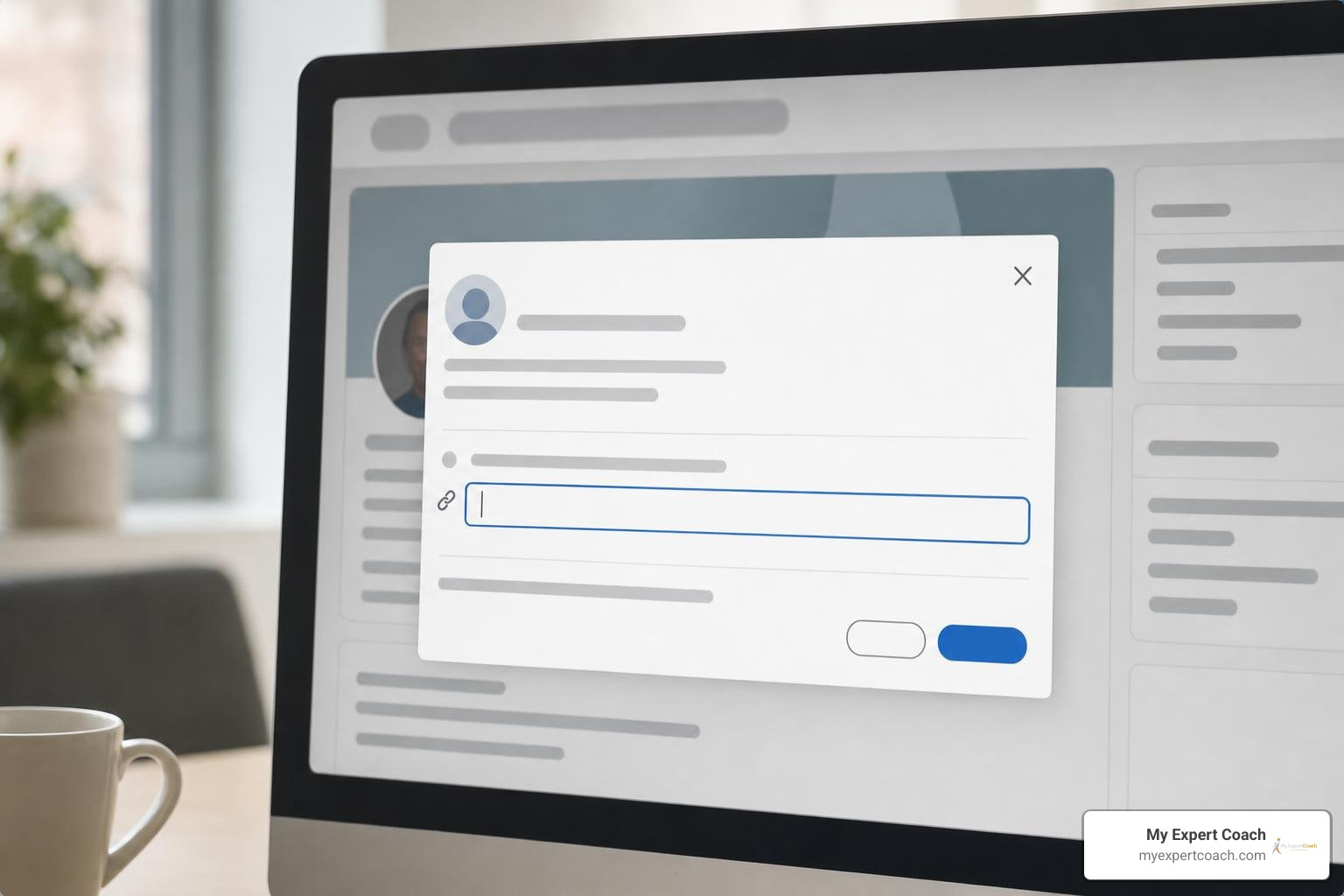
Follow this process on desktop:
- Click the Me icon at the top of your LinkedIn homepage and select View Profile.
- Click Edit public profile & URL on the right rail. This opens the Public profile settings page in a new browser tab.
- Under the Edit your custom URL section on the top right, click the Edit (pencil) icon next to your current URL.
- Type your desired custom slug into the text box.
- Click Save.
Optimizing Your LinkedIn Com Profile Link for Executive Visibility
When choosing your vanity slug, prioritize simplicity and alignment with how people search for you:
- Ideal Format:
FirstnameLastname(e.g.,cristiano-r-amon) - First Alternative:
FirstnameMiddleInitialLastnameorFirstname-Lastname - Industry Leaders: Look at how tech and search executives manage their public footprints, such as Danny Sullivan’s executive search presence or tech leader Cristiano R. Amon, both using concise, recognizable name identifiers.
- Branded Handles: If you have an established brand across digital platforms, you can use a unified handle, as seen with data expert Zach Wilson.
- Corporate Executives: Financial leader Christiana Riley uses a clear, hyphenated full-name slug that matches her executive publications.
Ensuring your custom URL matches the name on your curriculum vitae ensures seamless cross-platform alignment when aligning your resume and LinkedIn URL.
Official Rules, Character Limits, and Unlinking Prior URLs
LinkedIn enforces specific technical parameters when you create or edit a custom web address:
- Length Constraints: The custom portion of your URL must be between 3 and 100 characters long.
- Prohibited Characters: You cannot use spaces, symbols, or special characters (such as
@,!,*, or_). Hyphens (-) are permitted. - Prohibited Words: You cannot include the word “LinkedIn” or terms that mimic official platform features.
- Case Insensitivity: Custom URLs are not case-sensitive.
JohnDoe,johndoe, andJOHNDOEall lead to the identical profile. - Change Limits: You can change your custom URL up to five times within any six-month period. Once you hit the fifth change, the platform locks your URL editing ability until the six-month rolling window resets.
- URL Retention and Unlinking: When you change your URL, your previous URL remains reserved and linked to your profile for six months to prevent broken links. If you manually choose to “unlink” a prior URL, it enters a 7-day holding period where it is inaccessible to anyone before becoming available for other members to claim.
- Account Closure: If an account is closed entirely, its custom URL becomes available to the general public after 180 days.
Troubleshooting Unavailable URLs and Regional Code Changes
Because vanity URLs are allocated on a strict first-come, first-served basis, common names are frequently claimed early. If your preferred name is unavailable, use professional variations:
- Insert a hyphen between your first and last name (
first-last). - Add your middle initial (
first-m-last). - Add your professional credential or executive focus (
first-last-mbaorfirst-last-cfa). - Avoid using random birth years or informal numbers (
johnsmith1984), which diminish executive authority.
Be mindful of your broader social networking footprint as well. Maintaining clean digital conduct and profile consistency helps in avoiding social networking pitfalls that could otherwise undermine an executive job search.
Frequently Asked Questions About LinkedIn Profile Links
How many times can I change my custom LinkedIn URL?
You are permitted to modify your custom profile web address up to five times within any rolling six-month window. If you reach this five-change limit, you must wait until six months have elapsed from your earliest change before LinkedIn permits another update.
What happens to my old LinkedIn URL after I update or unlink it?
When you update your custom address, your prior URL remains linked to your profile for six months, redirecting anyone who clicks your old link to your current page. If you choose to manually unlink a previous URL within your settings, it enters a temporary 7-day waiting period during which no one can claim it. After seven days, that slug becomes publicly available for any member to claim.
Why did my LinkedIn URL change after updating my country?
LinkedIn automatically adjusts the two-letter regional prefix (such as changing from uk.linkedin.com to ca.linkedin.com) whenever you update the primary country listed under your profile location settings. Your underlying custom slug remains identical, and your old regional link will automatically redirect visitors to your updated profile without interruption.
Conclusion
Securing a concise, professional LinkedIn public web address is a foundational step in establishing your executive presence online. By stripping away default system numbers, adhering to platform formatting rules, and integrating your custom link across your resume and career collateral, you make it effortless for recruiters, board members, and industry peers to discover your track record.
At MyExpertCoach, our team brings over 25 years of insider HR, recruiting, and executive coaching expertise to help leaders stand out in competitive markets. With more than 10,000 careers advanced, we craft tailored, non-template career marketing assets designed for modern hiring algorithms and executive search firms. If you are preparing for your next career milestone, explore our professional executive resume and LinkedIn optimization services to elevate your brand today.